

SEO is a game of trust signals. Backlinks, content quality, user experience these all matter. But there’s one factor that quietly influences rankings behind the scenes: domain age.
I learned this lesson the hard way three years ago. I spent two months building backlinks for a client, only to discover that 60% of those links came from domains registered within the past six months. Google essentially ignored those links, and my client’s rankings barely moved. That’s when I realized: without checking domain age, you’re building links blindfolded.
Today, I use SoftCodeOn’s domain age checker tools daily. After testing countless alternatives, these two tools have become permanent fixtures in my SEO workflow. Let me explain why, and more importantly, how you can use them to avoid the mistakes I made.
Here are both tools:
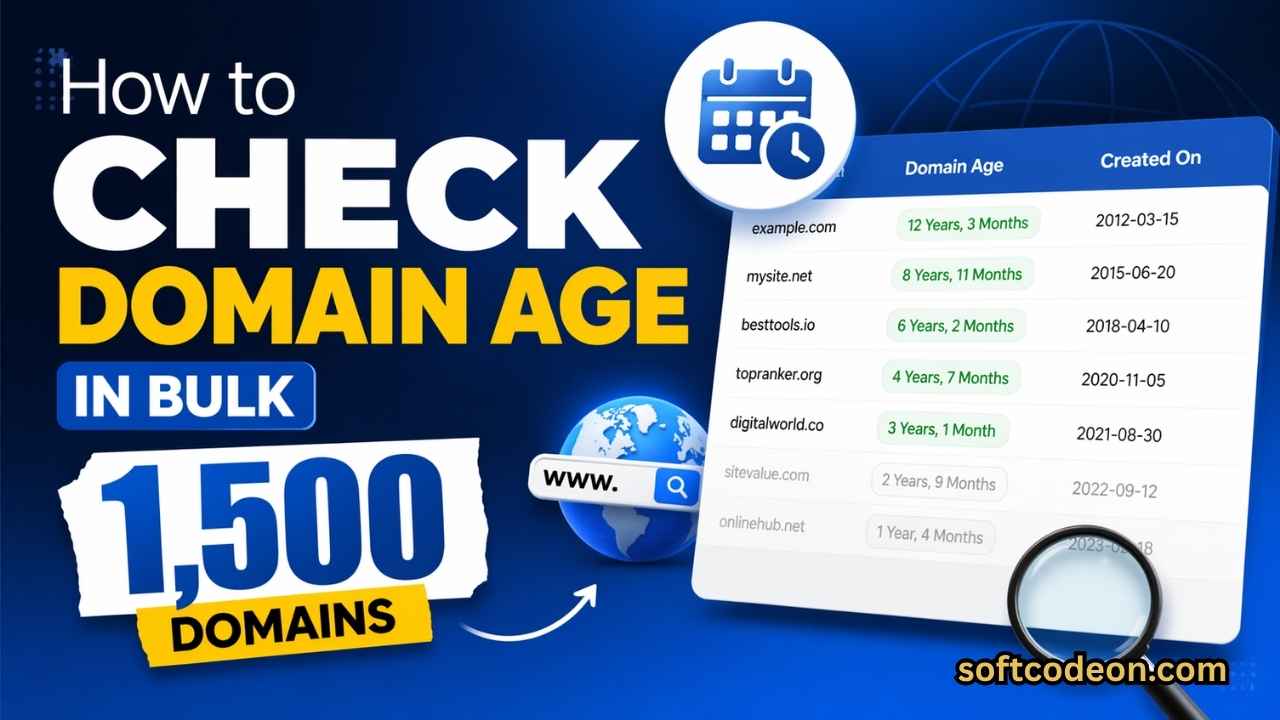
- Domain Age Checker – Free bulk tool handling up to 1,500 domains simultaneously
- Bulk Domain Age Checker PRO Free – Advanced version with complete technical analysis for up to 10 domains
What is Domain Age and Why Does It Matter?
Domain age refers to the time elapsed since a domain was first registered. It’s calculated from the original creation date stored in the WHOIS database the global registry of domain ownership.
The Simple Logic Behind Domain Age
Think about it this way: would you trust a business that opened yesterday more than one that’s been serving customers for 10 years? Search engines apply similar reasoning.
An aged domain has:
- Historical credibility – It’s survived domain renewals, algorithm updates, and market changes
- Accumulated backlinks – Natural link building happens over time, not overnight
- Brand recognition signals – Long-standing domains often have mentions across the web
- Stability indicators – Scam sites get shut down quickly; legitimate businesses persist
This doesn’t mean new domains can’t rank. They absolutely can with the right strategy. But an aged domain provides a foundation that no amount of content can replicate in the short term.
How Search Engines View Aged Domains
Google has officially acknowledged that domain age plays a role in their algorithms, though they’re careful not to overstate its importance. From a patent perspective, historical domain data helps search engines assess:
1. Legitimacy Filtering
Spam networks register domains in bulk, use them briefly for manipulative linking, and abandon them. These domains rarely survive beyond their first registration year. By checking domain age, you can instantly filter out these likely spam sources.
2. Authority Accumulation
A domain that’s been around since 2015 has had a decade to earn editorial backlinks naturally. Even if it’s not actively building links, its historical link profile carries weight that a 2024 domain simply cannot match.
3. The “Sandbox” Reality
While Google denies an official sandbox, ask any experienced SEO about ranking difficulties with brand-new domains. The first 6-12 months are universally harder. Aged domains bypass this period entirely.
4. Trust Flow
Search engines track domain registration patterns. Domains registered for multiple years signal commitment. Domains on month-to-month renewal patterns raise questions. The creation date is your starting point for this analysis.
Comparison of both Free Tools
SoftCodeOn offers two complementary tools that serve different purposes. Understanding when to use each one is key to an efficient workflow.
| Feature | Free Domain Age Checker | PRO Bulk Domain Age Checker |
|---|---|---|
| Domains per Batch | 1,500 | 10 |
| Best For | Large-scale bulk filtering | Deep individual analysis |
| Creation Date | ✅ | ✅ |
| Precise Age (Y/M/D) | ✅ | ✅ |
| Registrar Info | ✅ | ✅ |
| DNS Resolution | ✅ Basic | ✅ Complete (22+ records) |
| SSL Certificate | ❌ | ✅ Full details |
| HTTP Headers | ❌ | ✅ Complete |
| Server Technology | ❌ | ✅ Detected |
| MX Records | ❌ | ✅ Full mail servers |
| TXT Records | ❌ | ✅ Complete |
| Name Servers | ❌ | ✅ Complete |
| Reputation Check | ❌ | ✅ Google Safe Browsing + VirusTotal |
| Expiry Date | ❌ | ✅ With countdown |
| Google Index Check | ❌ | ✅ |
| WHOIS Record | Basic | ✅ Full record |
| Historical Data | ❌ | ✅ Archive.org link |
| CSV Export | ✅ | ✅ |
| Price | FREE | FREE |
When to Use Which Tool
Use the Free Bulk Tool when you have a large list of domains and need quick filtering. I use this when:
- Auditing backlink profiles with 100+ referring domains
- Building outreach lists from scraped data
- Quick competitor domain checking
Use the PRO Tool when you need complete intelligence on specific domains. I use this when:
- Evaluating a domain before purchasing
- Deep competitor analysis
- Client reporting with technical details
- Checking SSL and security configuration
Free Bulk Domain Age Checker
The Domain Age Checker is the tool I use most frequently. Its ability to process 1,500 domains at once makes it indispensable for bulk work.
What It Delivers
When you check a domain, you receive:
Creation Date – The original registration date pulled directly from the authoritative WHOIS server. This is real-time data, not a cached snapshot.
Precise Age Calculation – Broken down into years, months, and days. For SEO analysis, I prefer the 6-year-5-month format over a decimal number because it gives better context.
Registrar Information – Knowing which registrar a domain uses can reveal patterns. Certain registrars are favored by spammers, while others are preferred by legitimate businesses.
DNS Status – Whether the domain resolves to an active website. A domain that exists but doesn’t resolve is fundamentally different from one hosting a live site.
IP Address – The server location, which can indicate hosting infrastructure.
My Workflow with the Bulk Tool
Here’s exactly how I use this tool for backlink audits:
- Export all referring domains from Ahrefs or SEMrush
- Paste them into the domain age checker
- Run the bulk check (takes minutes for hundreds of domains)
- Filter results: flag domains under 2 years old
- Export CSV for client reporting
- Take suspicious domains over to the PRO tool for deeper investigation
This workflow has caught countless PBN links and spam domains that metrics alone missed.
Why 1,500 Domains Matters
Most free WHOIS tools limit you to one domain at a time or cap you at 10-50 domains. Being able to process 1,500 domains in a single batch changes everything for:
- Agency SEOs managing multiple clients
- Link builders qualifying large prospect lists
- Domain investors evaluating bulk portfolios
- Competitor researchers analyzing entire industries
PRO Version with Full Technical Analysis
The Bulk Domain Age Checker PRO limits you to 10 domains per batch, but in exchange, you receive an extraordinary amount of technical detail. This isn’t just a domain age tool it’s a complete domain intelligence platform.
Let me walk through every data point it provides, because understanding these details is what separates amateur SEO from professional analysis.
Age Information Section
text
Age Information
6 Years 5 Months 5 Days
Created: November 18, 2019 16:19:48
Expiry: November 18, 2026 16:19:48
208 days remaining
This goes beyond basic age calculation. The expiry date with countdown is particularly valuable. A domain expiring soon might be available for acquisition. A domain recently renewed for multiple years signals active management.
Technical Details Section
text
IP Address: 195.35.62.57
Registrar: namecheap.com
Web Server: LiteSpeed
Detected Platform: PHP/8.2.30
This reveals the entire technical stack. LiteSpeed servers, for example, typically indicate performance-conscious hosting. PHP version reveals whether the site is running modern, secure infrastructure.
DNS Records (22+ Records)
The PRO tool checks and displays:
- A Records (IPv4 addresses)
- AAAA Records (IPv6 addresses)
- CNAME Records (aliases)
- MX Records (mail servers)
- TXT Records (SPF, DKIM, verification)
- NS Records (name servers)
This is crucial for technical SEO audits. Misconfigured DNS can cause crawling issues that directly impact rankings.
SSL Certificate Details
text
Issuer: Let's Encrypt
Valid From: 2026-04-06 23:34:46
Valid To: 2026-07-05 23:34:45
72 Days Remaining
SSL is a ranking factor, and certificate validity is critical. An expired SSL certificate triggers browser warnings that destroy user trust and tank rankings. The PRO tool gives you advance warning.
Reputation Check
text
Google Safe Browsing: No threats detected
VirusTotal: No security vendors flagged
For link building, this is gold. If Google Safe Browsing has flagged a domain, any link from it is toxic. VirusTotal aggregates multiple security vendors, giving you a comprehensive safety assessment.
Additional Intelligence
- Historical Data – Direct link to Archive.org for visual history
- Google Index Check – Confirms current search visibility
- DNS Propagation – Indicates recent DNS changes
- Full WHOIS Record – Raw data for legal or research purposes
Real-World Use Cases
Case Study 1: The PBN Cleanup
A client came to me with a manual penalty. Their previous SEO had built links from a private blog network. Using the free bulk tool, I checked all 300+ referring domains.
Findings:
- 70% of domains were registered within the same 3-month period
- Multiple domains shared the same registrar
- Dozens of domains had no DNS resolution
These patterns screamed PBN. We disavowed all matching domains, submitted a reconsideration request, and the penalty was lifted within weeks.
Case Study 2: The Domain Acquisition
I considered buying an expired domain for $1,200. Before committing, I ran it through the PRO tool.
What the analysis revealed:
- Domain was 8 years old (good)
- SSL certificate was expired (fixable)
- Google Safe Browsing showed clean status (good)
- BUT: the domain had been used for Chinese spam redirected pages in 2022 (found via Archive.org)
The domain’s history made it worthless for SEO purposes. The PRO tool saved me $1,200 and months of wasted effort.
Case Study 3: Competitor Gap Analysis
For an e-commerce client, I used the bulk tool to check every competitor in their niche. The pattern was striking:
- Top 3 competitors: domains aged 8-12 years
- Mid-tier competitors: domains aged 3-5 years
- Struggling competitors: domains aged 1-2 years
This wasn’t coincidence. It confirmed that in this competitive niche, domain age correlated strongly with rankings. My client adjusted their strategy accordingly, focusing on content depth rather than quick wins.
Case Study 4: Outreach Qualification
Building a guest post outreach list is time-consuming. I use the free tool to qualify 500+ potential targets in under 30 minutes.
My filtering criteria:
- Minimum 2 years domain age
- Active DNS resolution
- Different registrars (diversity matters)
This simple filtering eliminates 40-50% of prospects immediately, letting me focus on domains worth pursuing.
How to Use Both Tools?
Using the Free Bulk Domain Age Checker
Step 1: Visit Domain Age Checker
Step 2: Enter your domains in the text area. One domain per line. No http:// or www. prefix needed.
text
softcodeon.com
google.com
apple.com
microsoft.com
Step 3: Complete the simple math CAPTCHA. This prevents automated abuse.
Step 4: Click “Start Analysis” and watch the progress bar.
Step 5: Review results in the table. Each domain shows:
- Status (Active/DNS Fail)
- Age in years with months breakdown
- Creation date
- Registrar
Step 6: Click “Export CSV” to download complete results for reporting.
Step 7: For domains requiring deeper investigation, copy them and move to the PRO tool.
Using the PRO Bulk Domain Age Checker
Step 1: Visit Bulk Domain Age Checker PRO
Step 2: Enter up to 10 domains (quality over quantity here).
Step 3: Complete verification and start analysis.
Step 4: Click “Details” on any domain to see:
- Complete age breakdown
- SSL certificate status
- DNS records (22+ types)
- HTTP headers
- Server technology
- MX records
- Reputation status
- Google index status
- WHOIS record
- Archive.org history link
Step 5: Use this intelligence for:
- Pre-purchase domain evaluation
- Client technical audits
- Security assessments
- Competitive intelligence
Why These Tools Stand Out
I’ve tested over 20 domain age checkers. Most fall into one of these traps:
The “Freemium” Trap – Shows creation date only, charges for everything else
The “Outdated Cache” Trap – Returns data from a database last updated months ago
The “Ad Bombardment” Trap – So many ads you can barely find the results
The “Registration Wall” Trap – Forces account creation before showing anything
SoftCodeOn’s tools avoid all of these:
- ✅ Both tools are genuinely free
- ✅ Data comes from live WHOIS queries, not stale caches
- ✅ Clean interface without intrusive advertising
- ✅ No registration required for either version
- ✅ No hidden limits designed to force upgrades
Technical Accuracy Notes
The domain age data comes from official WHOIS servers (Verisign for .com/.net, PIR for .org, and TLD-specific registries for others). This means:
- Real-time data – Not cached from weeks ago
- Authoritative source – Same data registrars and legal processes use
- TLD coverage – Supports .com, .net, .org, .io, .co, .xyz, .online, .store, .tech, .site, .app, .dev, .ai, .cloud, .shop, .blog
For sponsored TLDs and country-code domains not in the supported list, results may vary.
Final Thoughts
Domain age checking should be a standard part of every SEO workflow. Whether you’re auditing backlinks, evaluating domains for purchase, or researching competitors, knowing a domain’s history provides context that metrics alone cannot.
The free Domain Age Checker handles the bulk work filtering hundreds or thousands of domains quickly. When you need to go deep on specific domains, the PRO Bulk Domain Age Checker delivers technical intelligence that would normally require multiple separate tools.
Both are free. Both work without registration. Both pull live data from official sources.
If you’re serious about SEO, add these tools to your daily workflow. Your backlink profile will thank you.
Ready to start?
- For bulk checking (up to 1,500 domains): Domain Age Checker
- For deep technical analysis (up to 10 domains): Bulk Domain Age Checker PRO
