

Cursor blinking. Deadline looming. You’ve been staring at the same authentication middleware logic for an hour, and the edge cases are piling up faster than your patience. Or perhaps you’re a junior developer staring down a legacy PHP monolith that looks like it was written during the Obama administration.
In 2026, the question is no longer should you use AI for coding, but rather Gemini vs. Copilot vs. ChatGPT, Which AI Is Best for Coding? Each of these platforms promises to be the ultimate pair programmer whispering suggestions in your IDE, explaining complex recursion, or even refactoring entire repositories with a single prompt. But they operate on fundamentally different philosophies, and picking the wrong one for your specific workflow can slow you down just as much as not using one at all.
In this article, we’re not just reading spec sheets. We’re looking at real-world latency, context window practicality, hallucination rates on niche frameworks, and the subtle “vibe” of coding with each assistant. By the end, you’ll know exactly which AI belongs in your dock and which one belongs in the trash bin.
AI in Software Development (2026 Update)
AI is no longer a fringe experiment; it’s embedded in the developer toolchain. Understanding where each model fits requires a quick look at the current ecosystem and the shifting expectations of modern engineering teams.
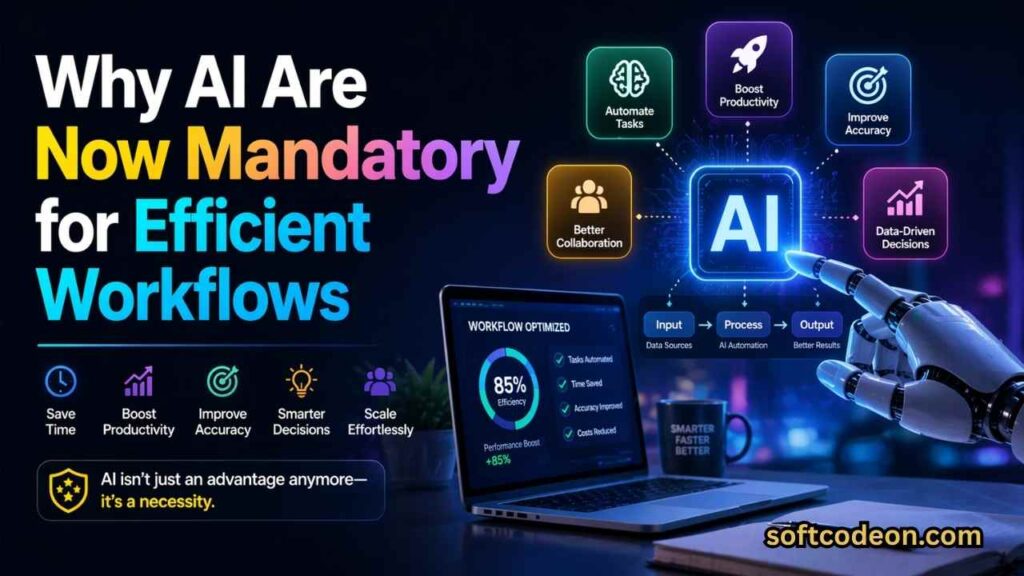
Why AI Are Now Mandatory for Efficient Workflows
If you’re still manually typing out every useState hook or every JUnit test assertion, you’re effectively paying a “manual tax” on your time. The productivity gains from AI pair programming tools have been quantified extensively over the last two years. A 2026 Stack Overflow survey indicates that over 75% of professional developers now use an AI tool at least once a day. The primary driver is cognitive load reduction. Writing software is hard not because of the syntax, but because of the context switching between business logic, database schemas, and framework quirks.
AI assistants act as an external memory bank. They remember the exact syntax for a LEFT JOIN in SQLAlchemy so you don’t have to open a browser tab. More importantly, they help with the “blank page syndrome” getting that first draft of a function out so you can iterate on the logic rather than the boilerplate. In 2026, AI proficiency is becoming a standard line item in senior developer job descriptions, right next to “system design” and “mentorship.”
How They Fundamentally Differ
Before we dive into code, let’s draw the bright lines between these three platforms, because comparing them directly is like comparing a scalpel, a Swiss Army knife, and a supercomputer.
- GitHub Copilot is IDE-Native. It lives in the gutter of your editor. Its primary function is to reduce keystrokes. It excels when you already know the solution but don’t want to type it. It’s the silent, efficient partner.
- ChatGPT is Conversational. It lives in a browser tab. Its primary function is explanation and exploration. It excels when you don’t know the solution and need to talk it out. It’s the articulate consultant.
- Google Gemini is Context-Rich. It lives in the cloud. Its primary function is analysis of scale. It excels when you need to understand a massive, complex system all at once. It’s the forensic accountant.
This distinction is the key to unlocking productivity. Using ChatGPT for inline autocomplete is a waste of time. Using Copilot to explain a complex binary tree algorithm is an exercise in frustration. Using Gemini for a quick one-line CSS fix is like driving a monster truck to the grocery store.
GitHub Copilot – The Speed Demon
Microsoft’s GitHub Copilot remains the industry standard for a reason: it fades into the background. When set up correctly, you stop noticing it and just start coding faster.
How Copilot Enhances Developer Flow State
Copilot effectively engineers a flow state through zero-latency ghost text, allowing instant suggestions as you type function names like validateAndSanitizeEmailInput. With a simple Tab key press, the logic appears without the need for window switching or mouse movement, keeping your focus on the code. This is particularly beneficial in strongly typed languages such as TypeScript or Rust, where Copilot leverages imported type definitions to minimize irrelevant suggestions. It also adapts to team-specific ESLint or Prettier configurations and learns naming conventions and folder structures, providing context-aware scaffolding, such as anticipating the generateStaticParams function in a Next.js project.
Copilot’s Limitations “Local Maxima” Problem
Copilot’s greatest strength its hyper-focus on your immediate open files is also its greatest weakness. I call this the “Local Maxima” Problem. Copilot is a genius at finding the best solution within the 30 lines of code directly above your cursor. Copilot is a junior developer in this sense: incredibly fast at implementing the ticket exactly as written, but lacking the architectural vision to see the bigger picture. It requires a senior developer (you) to constantly review and refactor its output to ensure it aligns with the broader system design. For an agency managing multiple client sites, understanding this nuance is as critical as choosing the right WordPress hosting provider the cheapest option often creates more work down the line.
Pricing and Privacy in the Enterprise
For individual developers, Copilot is a no-brainer at roughly $10/month. The time saved pays for the subscription by Wednesday morning. However, for enterprise users, the conversation shifts entirely to Code Retention Policies. Copilot Business and Enterprise tiers explicitly state that your code snippets are not retained for model training. This is the only acceptable tier for industries governed by HIPAA, SOC2, or strict NDAs. The free and Pro tiers, while powerful, essentially use your coding patterns to make the model smarter for everyone else. It’s a fair trade for open-source maintainers, but a legal non-starter for a fintech startup building proprietary trading algorithms.
ChatGPT for Development: The Patient Teacher
If Copilot is the quiet colleague who types fast, ChatGPT is the senior architect who leans back in their chair and says, “Let’s draw this out on the whiteboard first.”
GPT-4o’s Strength in Explanation and Refactoring
ChatGPT’s superpower is semantic understanding. You can feed it a 200-line function written in COBOL (or modern Python) and ask, “Explain this to me as if I were a smart high schooler, and identify three potential performance bottlenecks.” It does this brilliantly. Because the interaction is conversational, you can drill down. “What about that second bottleneck? Can you show me a version that uses a hash map instead of a nested loop?” This iterative, back-and-forth process is where ChatGPT shines. It’s the ultimate rubber duck debugging companion that actually talks back. For learning new frameworks, this is invaluable. Instead of digging through stale blog posts about future of coding with AI in 2025, you can have a live dialogue with the model about the specific version of the library you are installing right now.
Canvas vs. In-Editor Experience
OpenAI’s Canvas feature competes with Copilot by offering a split-screen view of a text editor and chat panel, allowing users to highlight code and prompt for specific actions like error handling or security reviews, creating a collaborative feel similar to Google Docs. However, the need to copy-paste substantial context for complex debugging can hinder usability, as Copilot inherently understands the IDE context. ChatGPT is more effective for isolated problems or new scripts; for example, it can be quicker and cleaner than using VS Code for a standalone Python script to clean a CSV file.
AI Hallucinations in Niche Areas
ChatGPT can generate code that appears correct but often includes inaccuracies, particularly with niche libraries or version-specific APIs. For example, when seeking a Svelte 5 snippet using the new Runes reactivity system, it produced code that seemed perfect but referenced an incompatible lifecycle method, leading to a memory leak. This highlights the risk of AI-generated code being 95% correct, which can be more misleading than completely incorrect, as it may pass initial reviews. Therefore, it’s essential to verify the code by checking imports and method signatures against official documentation.
Google Gemini
For a long time, Gemini was the “other” option. With the 2026 updates, it has carved out a specific, highly valuable niche that neither Copilot nor ChatGPT can touch: Massive Scale Analysis.
Leveraging the 2 Million Token Context Window
Gemini models can process 2 million tokens, equivalent to about 1.5 million words, allowing for comprehensive auditing of complex codebases, such as an entire e-commerce platform’s frontend and backend. This capability enables users to perform tasks like identifying database queries lacking a proper LIMIT clause or mapping dependency graphs in legacy apps tasks that tools like Copilot and ChatGPT cannot handle due to memory limitations. For teams focused on legacy modernization or security compliance, Gemini serves as a powerful tool that significantly accelerates the auditing process, transforming weeks of work into just an afternoon of prompt engineering.
Search Grounding a Game Changer for Up-to-Date Docs
Another unique Gemini feature is Grounding. Because Gemini is a Google product, it has the option to cross-reference its output with live Google Search results. In practical coding terms, this means reduced hallucination for new releases. If a library releases a breaking change this week, ChatGPT (which relies on a training cut-off date) will confidently give you the old, wrong syntax. Gemini, when grounded, can pull the context from the new GitHub README or the official announcement blog post. This is particularly useful for fast-moving ecosystems like Next.js, where the App Router patterns evolve rapidly. If you’re reading about how generative engine optimization is reshaping SEO, you’ll appreciate that Gemini’s approach is similar: it looks at the current landscape, not just a cached snapshot.
Speed vs. Depth
The downside of Gemini’s massive context and search grounding is latency. You are not getting 50ms ghost text here. A complex query with a 1-million-token context might take 15-20 seconds to process. This makes Gemini completely unsuitable for line-by-line coding. It is not a daily driver. It is a strategic weapon. You pull it out when you are starting a new job and need to understand the monorepo, or when you are planning a major version upgrade and need to assess the blast radius of deprecated features.
Gemini vs. Copilot vs. ChatGPT
To make this actionable, here is the side-by-side comparison based on Developer Productivity 2026 metrics.
| Feature | GitHub Copilot | ChatGPT (GPT-4o) | Google Gemini (2.0) |
|---|---|---|---|
| Best Use Case | Writing code fast | Learning & Debugging | Analyzing large systems |
| Interaction Speed | Instant | Fast (2-4s) | Slow (5-20s) |
| Context Size | Medium (Open Tabs) | Large (Chat History) | Massive (1M+ Tokens) |
| Accuracy (Niche Libs) | Low (Pattern Match) | Medium (Hallucinates) | High (Search Grounded) |
| IDE Integration | Excellent | Good (Via Canvas) | Poor (Browser/API only) |
| Cost per Month | $10 | $20 | $20 |
Picking the Right Tool for the Task
Here is the cheat sheet. Follow this and you’ll never pick the wrong AI again.
When Copilot Wins: Daily Development
Scenario: You are building a CRUD dashboard. You need to add a new form field, update the Zod schema, add the Prisma query, and update the frontend component.
Winner: Copilot.
Why: It will do 70% of the typing for you. It sees the pattern in schema.prisma and mirrors it in the TypeScript type. It sees the input component and suggests the onChange handler. This is where Code generation accuracy matters less than Code generation speed. Copilot keeps you in flow.
When ChatGPT Wins – Learning Rust or Zig
Scenario: You are a JavaScript developer trying to understand the concept of “Lifetimes” in Rust.
Winner: ChatGPT.
Why: You don’t need code; you need a metaphor. ChatGPT excels at creating analogies. It will explain lifetimes like rental agreements on an apartment lease. You can ask it twenty stupid questions without judgment. Copilot would just spit out Rust code you don’t understand. Gemini would give you a textbook definition. ChatGPT teaches you why.
When Gemini Win – Security Audits and Migrations
Scenario: You need to upgrade a 4-year-old React project from Create React App to Vite, and you have custom Webpack overrides for raw-loader that you’re terrified of breaking.
Winner: Gemini.
Why: Upload the craco.config.js and the relevant component files. With the Context window comparison advantage, Gemini can see the whole picture. It can tell you exactly which Vite plugins replace those Webpack loaders and show you the diff for the files that rely on import.meta.glob. This saves hours of trial-and-error in the terminal.
Documentation and Testing
AI coding isn’t just about writing algorithms. It’s about the boring stuff that keeps software alive.
Automating the Unloved Parts
Writing unit tests is often seen as a tedious task in software engineering. Copilot excels at generating test skeletons based on descriptive test cases, accurately filling in the arrange, act, and assert logic while adapting to your existing style. In contrast, ChatGPT is more effective for creating test plans, providing valuable edge case lists when prompted with a function signature. For README files, Gemini outperforms by generating a coherent Getting Started guide that aligns with your project’s file tree and dependencies, which Copilot’s autocomplete fails to achieve.
Why AI Won’t Replace Devs in 2026
A common fear is that these tools, especially with new “Agent Mode” features that let them edit files directly, will make developers obsolete. This is a misunderstanding of what software engineering is. Coding is the easy part. The hard part is deciding what to build and why.

AI cannot sit in a meeting with a frustrated product manager and a confused stakeholder to figure out that the real requirement isn’t a “faster database query” but a “different UI workflow that requires zero queries.” AI lacks taste. It cannot tell you that a certain animation feels “janky” or that a color palette looks “off brand.”
The developer of 2026 is less of a typist and more of an orchestrator and editor. We are becoming conductors of an AI orchestra. The tools play the notes; we ensure the symphony sounds like music, not noise.
Conclusion
After putting these three platforms through their paces across frontend, backend, and DevOps tasks, the conclusion is clear: monogamy is inefficient. The best developers will be AI Polyglots.
- Keep GitHub Copilot running 24/7 in your editor. It’s the baseline expectation for professional velocity.
- Keep ChatGPT pinned in a browser tab for when you are stuck on a bug or exploring a new library. It’s your on-demand mentor.
- Keep Google Gemini in your back pocket for the big, scary, architectural days. It’s your emergency consultant.
Choosing between Gemini vs. Copilot vs. ChatGPT isn’t about finding a single winner. It’s about building a toolchain that matches the complexity of modern software development. The developers who thrive in 2026 and beyond will be the ones who know not just how to code, but which AI to ask for help.
